LaunchSoon v2: better, simpler and more yours
LaunchSoon v2 is here: a rebuilt page builder that's simpler to use, gives you far more ways to make a page your own, and keeps your list in one place.
Today we’re launching LaunchSoon v2.
We rebuilt the whole thing: the builder, the pages it makes, and the place you come back to after you publish. The idea hasn’t changed. You’re about to launch something, and you want a page that gets people on your list before launch day. What changed is how good that page can look, how little it takes to get there, and how much of it you can make your own.
Better pages, from the first click
v2 starts you somewhere good, before you’ve changed a thing.
Tell us what you’re launching (a book, a course, a newsletter, a podcast, an app) and what the page should do. You get three pages written for that kind of launch, each in its own look and wearing a real photo. Pick the one that feels closest, and you’re already most of the way there.
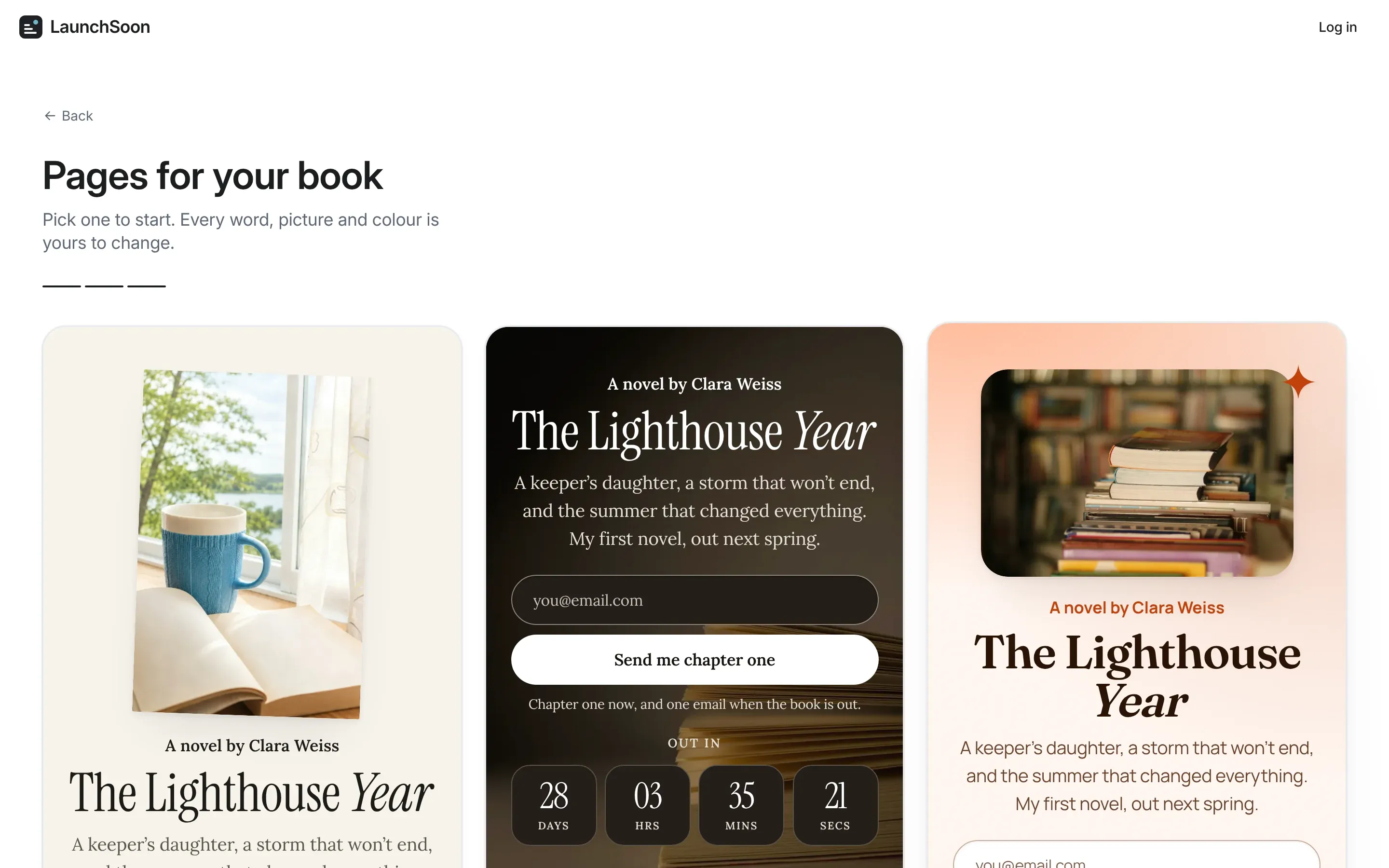
Every page is built for phones first, because that’s where your link gets tapped: in your bio, under your videos, in a story.
Simpler, all the way through
We took out everything you had to think about before you could start.
- No sign-up to build. Make your page first. You only make a free account when you publish, and your page comes with you.
- No passwords. Sign in with Google, or with a six-digit code we email you.
- One thing at a time. One question per step, one panel open, one short list per choice.
- Nothing gets lost. Your changes save themselves as you go, and undo takes back what you just did.
- Publish is one button. Your page goes live at a link made from its name, and you can change that link whenever you like.
Much more of it is yours
This is the part we’re proudest of. The words were always yours to change; now the whole page is.
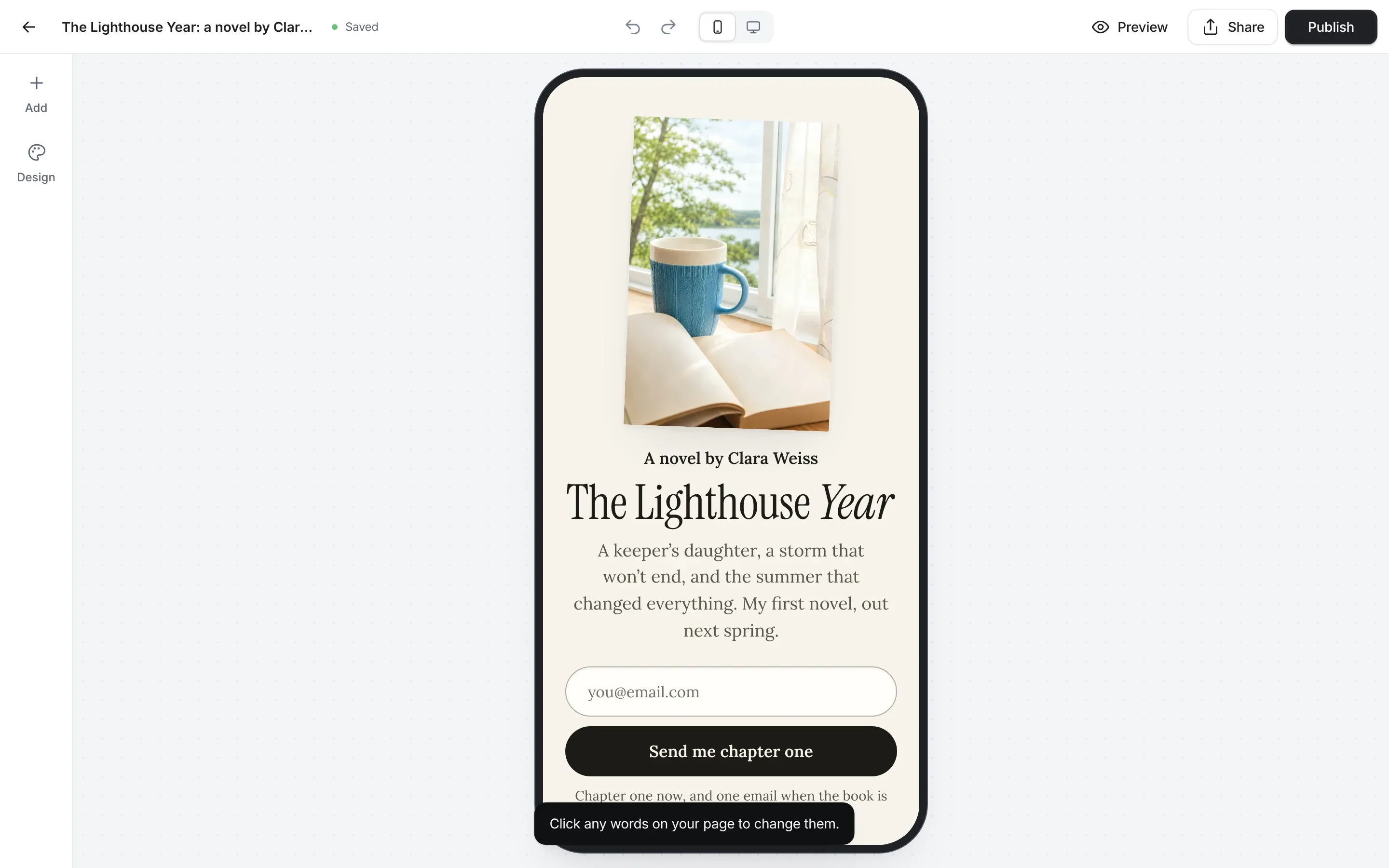
- Change any word in place. Click it and type, right on the page.
- Design it your way. Switch the whole look in one go, or change the colours, fonts, buttons and background on their own. Colours stay readable whatever you pick.
- Add what your launch needs. Headings, text, lists, quotes and questions. Pictures (upload your cover or a photo of you), videos, buttons and your socials. A signup form, a counter of how many people have joined, and a countdown to launch day. Even stickers.
- Move things around. Drag a section where you want it.
- Edit on your phone. The builder works just as well on a phone, so you can fix a typo from wherever you are.
- Make your link look good. Choose how your page looks when it’s shared, grab its QR code for print, and send it anywhere in a tap.
Your list, in one place
Before, your signups came in, but there was nowhere to see them all together. Now there is.
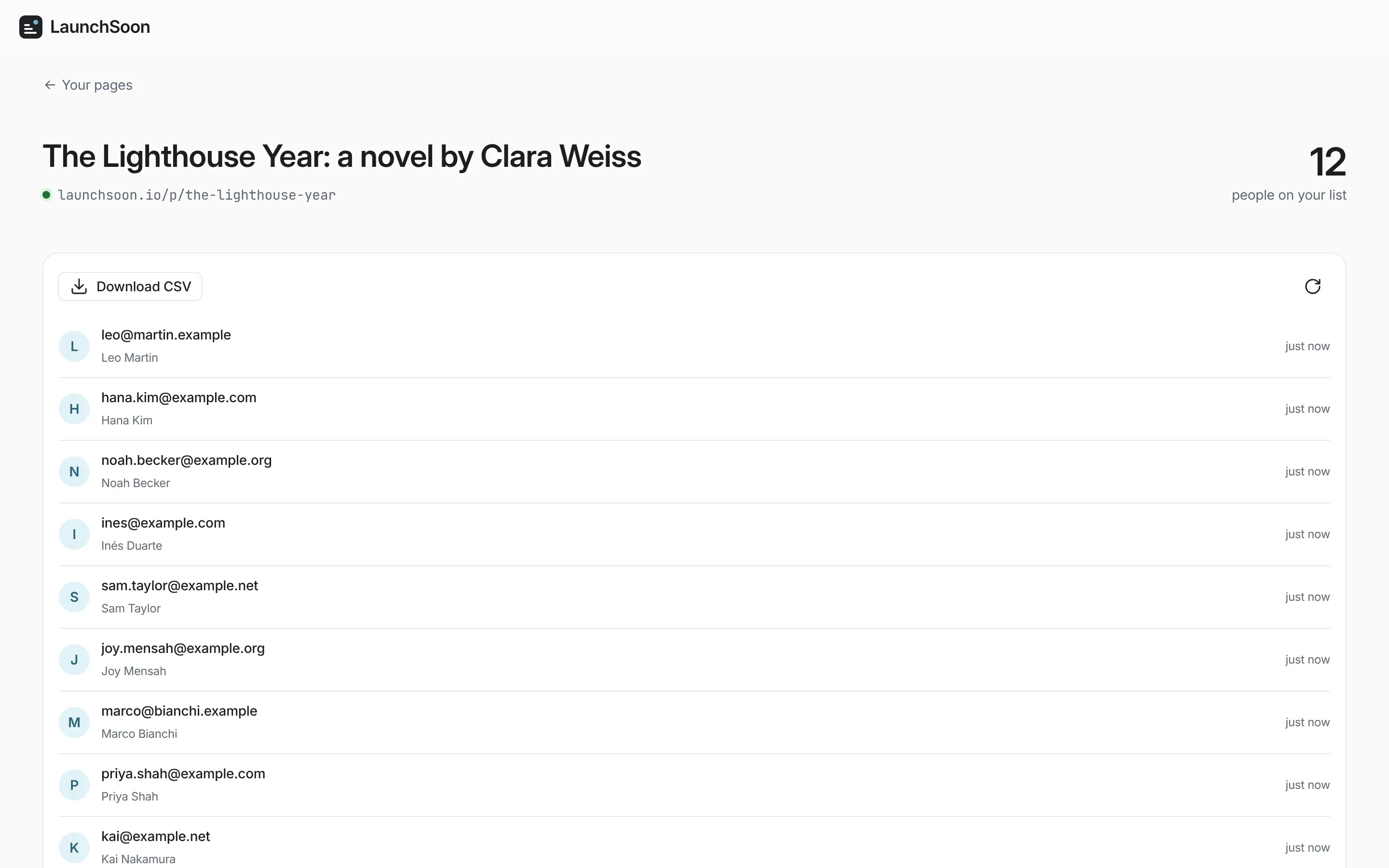
Your pages are listed with how many people have joined each one. Open a page to see who joined, newest first, and download the list as a CSV whenever you like, ready for the email tool you already use. The list is yours.
If you used LaunchSoon before
Your account, your pages and your signups have all come across to v2.
- Your published pages are still live at the same links, so nothing you’ve shared is broken.
- Sign in with Google as before, or with a code sent to your email. Passwords are gone, so there’s nothing to reset.
- Your pages open in the new builder, so you can give them a fresh look whenever you’re ready.
Still free
Building a page, publishing it, collecting signups and downloading them are all free, with no card and no trial clock. That hasn’t changed, and it isn’t going to.
If something feels off, or you’re missing something you need for your launch, write to us at hello@launchsoon.io. We read everything.
Now go make your page. Your launch is coming.